The best free PointerFocus alternative for Windows 11 is SHARA. Its cursor halo, click animation, Pen, Laser and Ctrl+Space Wheel are free forever, with no time limit and no account. Every Pro tool, including the spotlight and keystroke display, is free for your first 14 days, then a one-time upgrade. Get SHARA on the Microsoft Store.
Creator Kit makes SHARA. Competitor facts checked 27 October 2026 on their official pages.
Why Look for a PointerFocus Alternative?
PointerFocus has helped Windows presenters since 2010, and it still packs a lot into a 146 KB download: a coloured circle with a click ring, a spotlight that dims the screen, a magnifier, an annotation pen, a keystroke display and even an Android remote. Three things send people looking for something else:
- It isn’t free. A licence costs $12.50 one-time and covers three computers. It includes one year of upgrades; after that you keep the version you have, and another year of upgrades costs half price.
- The trial interrupts you. The official buy page says a registration reminder pops up after 5 minutes, and the trial can’t be used commercially.
- It hasn’t changed in a while. The current version is 2.4, with a 2.5 beta, and both download files on pointerfocus.com are dated December 2022. The download page walks you through Windows SmartScreen’s “Run anyway” warning.
To be fair, PointerFocus runs on everything from Windows XP to Windows 11, and a paid licence comes with a 30-day money-back guarantee. If you present from an old PC, it may still be the right tool.
PointerFocus vs 5 Free Alternatives at a Glance
Every tool below is free to use on Windows 11. SHARA is our highlighted pick because it is the only one that covers the halo, click animation and drawing in one free app; its spotlight and keystroke display are Pro.
| Tool | Cursor Halo | Click Effect | Spotlight / Zoom | Draw on Screen | Keystrokes | Free / Paid | Last Update |
|---|---|---|---|---|---|---|---|
| PointerFocusBase | $12.50 one-time 1 year of upgrades | v2.4; files dated Dec 2022 | |||||
| SHARAOur Pick | (Free) | (Free) | (Pro) | (Free) | (Pro) | Free $19.99 one-time Pro; US price, local prices vary | Oct 22, 2026 (Store) |
| PowerToys Mouse utilities | (Find My Mouse) | Free | 0.102, Oct 21, 2026 | ||||
| FriskyMouse | Free (open source) | Apr 26, 2026 (Store) | |||||
| ZoomIt | (Zoom) | Free | Oct 15, 2026 | ||||
| Windows pointer settings | (Ctrl ring) | Free (built in) | Built into Windows |
1. SHARA: Free Cursor Halo, Clicks and Pen
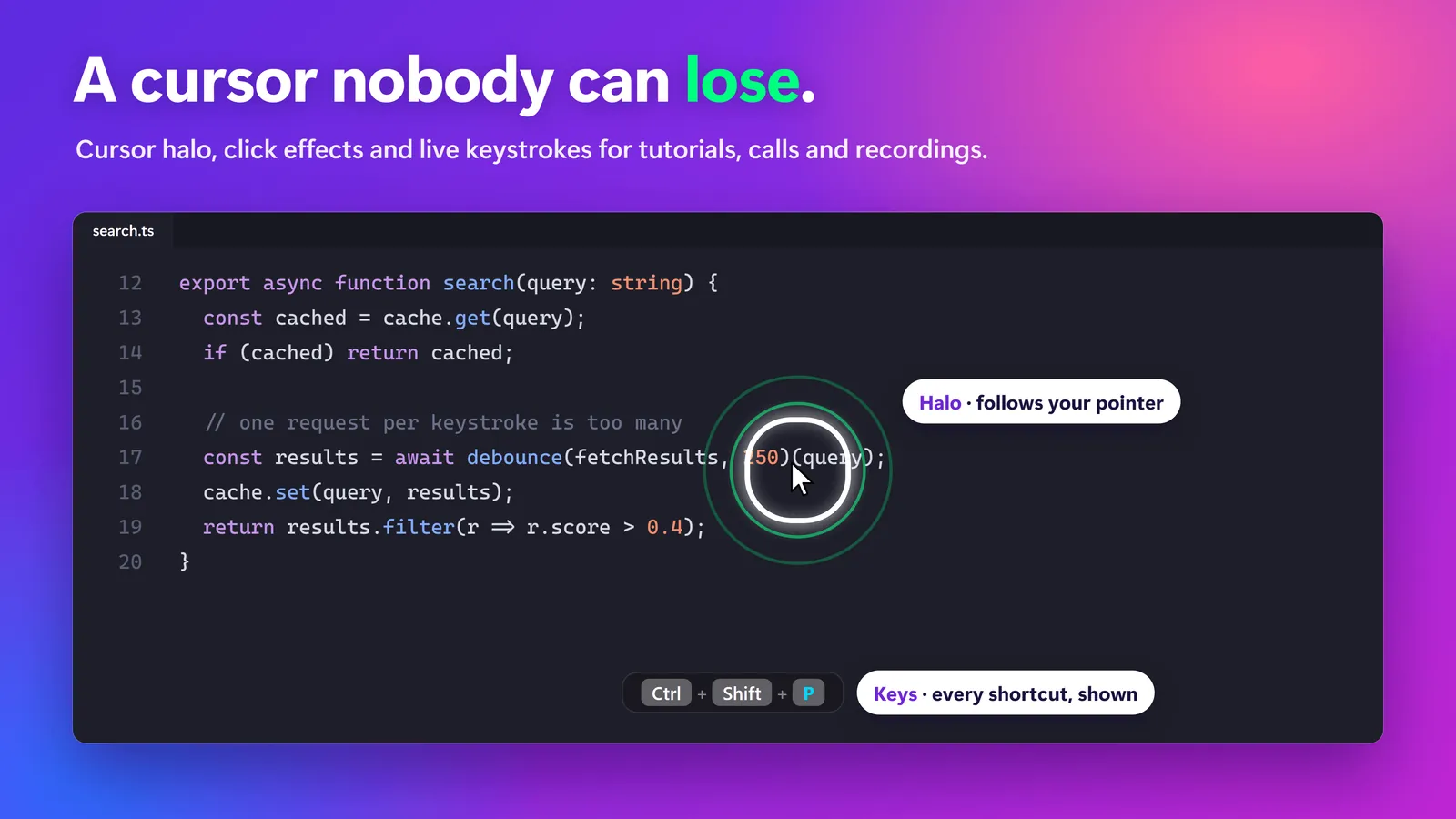
SHARA’s cursor highlighter puts a halo around your pointer (Squircle, Circle or Rhombus, in 5 sizes and any colour) and flashes it when you click. Hold Ctrl+Space and a Wheel opens at the pointer with Pen, Laser, Arrow, Text and Eraser, or dock the same tools as a toolbar on any screen edge. All of that is free forever.
Where PointerFocus draws a flat circle, SHARA’s Pro tools add a glow, dashed or dotted borders, 3D tilt, click ripples, a magnifier (Lens, Spotlight, Live Zoom up to 8× and a 9:16 Broadcast window for OBS) and a keystroke pill that pauses completely in password fields. Every one of them is included in your first 14 days.
Set it up in a minute:
- Install SHARA on the Microsoft Store (Windows 10 version 2004 or later, no account).
- Open it. The halo is on from the first launch; press Ctrl+Win+H to turn it off and on.
- In Settings, pick the halo shape, size and colour.
- Hold Ctrl+Space to open the Wheel and choose Pen or Laser. Ctrl+Z undoes the last stroke.
- In Zoom or Teams, share your whole screen rather than one window, so viewers see the halo and the ink.
| Pros vs. PointerFocus | Cons |
|---|---|
Halo, click animation, Pen, Laser, Arrow, Text and Screenshot are free forever, with no time limit Installs and updates through the Microsoft Store, so there is no SmartScreen “Run anyway” step The toolbar and Wheel can be hidden from screen capture while the ink stays visible Per-monitor DPI, 4K, ultrawide and multi-monitor support No account, ads, analytics or telemetry | The spotlight, magnifier and keystroke pill are Pro once the 14 days end Windows 10 (version 2004) and Windows 11 only, so no Windows 7 or 8 English interface only Works with pen tablets, but line width doesn’t follow pen pressure No phone remote like PointerFocus’s Android app |
Free vs Pro: Free forever: cursor halo, click animation, Pen, Laser, Arrow, Text, Eraser, Screenshot and the Ctrl+Space Wheel. Every Pro tool is free for your first 14 days, with no card and no account. After that, Pro is a one-time purchase ($19.99 in the US).
2. PowerToys Mouse Utilities: Free, From Microsoft
If a click ring and a find-my-cursor spotlight are all you need, Microsoft’s free PowerToys Mouse utilities cover both:
- Install PowerToys and open PowerToys Settings.
- Go to Mouse utilities and turn on Mouse Highlighter.
- Pick a Highlight mode: Ripple (the default), Circle highlight or Spotlight. Circle highlight and Spotlight use the Always highlight color to keep a ring around the pointer.
- Press Win+Shift+H to switch it on and off.
- For a dimmed-screen spotlight like PointerFocus’s, turn on Find My Mouse and press Ctrl twice.
| Pros | Cons |
|---|---|
Free and open source, from Microsoft Three highlight modes with separate left and right click colours Find My Mouse, Mouse Jump and Crosshairs come in the same install | No drawing and no keystroke display in Mouse utilities PowerToys is often blocked on managed work PCs A full suite to install for one feature |
3. FriskyMouse: Free Open-Source Halo From the Store
FriskyMouse is a free, open-source highlighter by FrostyBee for Windows 10 and later, last updated on the Microsoft Store on 26 April 2026. You style the halo’s colour, size, border (solid, dashed or dotted), shadow and opacity, and choose ripple animations or static effects for left and right clicks.
It does one job well. There is no screen-dimming spotlight, drawing, magnifier or keystroke display, so it replaces only PointerFocus’s highlight circle and click ring.
4. ZoomIt: Free Zoom and Draw for Technical Demos
ZoomIt, Mark Russinovich’s free Sysinternals tool (also shipped inside PowerToys), replaces PointerFocus’s magnifier and pen. Ctrl+1 zooms, Ctrl+4 starts LiveZoom over running apps, Ctrl+2 draws without zooming, Ctrl+Shift+4 draws over live apps and Ctrl+3 shows a break timer. It also records the screen (Ctrl+5) and copies text with OCR (Ctrl+Alt+6).
ZoomIt has no always-on cursor halo or click effect, so pair it with PowerToys or SHARA if viewers need to follow the pointer. If drawing matters more than zoom, compare these free Epic Pen alternatives for drawing on screen.
5. Windows’ Built-In Pointer Settings (No Install)
- Open Settings › Accessibility › Mouse pointer and touch.
- Under Mouse pointer style, choose Custom and a bright colour, then drag the Size slider up.
- For a locate ring, open Settings › Bluetooth & devices › Mouse › Additional mouse settings › Pointer Options, tick Show location of pointer when I press the CTRL key and click OK.
Both cost nothing and need no install, but neither shows clicks or keeps a highlight around the pointer during a demo. For the full walk-through, see these five ways to highlight the mouse pointer in Windows 11.
Which PointerFocus Alternative Should You Choose?
- Choose SHARA if you want PointerFocus’s halo, clicks and pen in one free app, with the spotlight and keystrokes available as a one-time upgrade.
- Choose PowerToys if you only need a click ring or a find-my-cursor spotlight and PowerToys is allowed on your PC.
- Choose FriskyMouse for a light, free halo with styled click ripples and nothing else.
- Choose ZoomIt for zooming and drawing in technical demos, with recording and OCR built in.
- Keep PointerFocus if you present from Windows 7 or 8, use its Android remote, or prefer one $12.50 licence that already includes the spotlight and keystrokes.
Want more tools side by side? See our ranked list of cursor highlighters for Windows.
When SHARA Is Not the Right Fit
Skip SHARA if your presentation PC runs Windows 7 or 8, if you need the interface in a language other than English, or if you need pressure-sensitive strokes from a drawing tablet. If your company blocks the Microsoft Store, ask IT to allow it, or use Windows’ built-in pointer settings. And if you use the spotlight or keystroke display every day, plan for the one-time upgrade after the 14 days, or pair the free SHARA halo with PowerToys Find My Mouse.
Frequently Asked Questions
What is the best free alternative to PointerFocus?
SHARA, for most Windows 10 and 11 users: its cursor halo, click animation, Pen, Laser and Ctrl+Space Wheel are free forever. If you only need a click ring or a find-my-cursor spotlight, PowerToys Mouse Highlighter and Find My Mouse are free from Microsoft. FriskyMouse is a free, open-source halo on the Microsoft Store.
Is SHARA free?
Yes. Free forever: cursor halo, click animation, Pen, Laser, Arrow, Text, Eraser, Screenshot and the Ctrl+Space Wheel. Every Pro tool is free for your first 14 days, with no card and no account. After that, Pro is a one-time purchase ($19.99 in the US).
How much does PointerFocus cost?
PointerFocus costs $12.50 (US dollars, before tax) for a licence that covers three computers and includes one year of upgrades. After that year you keep using your version, and another year of upgrades costs half price. The trial shows a registration reminder after 5 minutes and can’t be used commercially (pointerfocus.com, checked 27 October 2026).
Does SHARA have a spotlight and keystroke display like PointerFocus?
Yes, as Pro tools: the magnifier’s Spotlight mode and the keystroke pill, which pauses completely in password fields. Both are free for your first 14 days. For a free spotlight after that, PowerToys Find My Mouse dims the screen around the pointer when you press Ctrl twice.
Will viewers see the cursor highlight in Zoom or Teams?
Yes, if you share your whole screen. SHARA and PointerFocus draw on the real screen, so share the desktop rather than a single window or a PowerPoint opened inside Teams. In OBS, use Display Capture.
Is PresentMouse still available?
We couldn’t find an official download page, repository or Microsoft Store listing for PresentMouse on 27 October 2026, so we don’t link a download. For a free halo with click effects, FriskyMouse on the Microsoft Store and PowerToys Mouse Highlighter are maintained alternatives.
Sources consulted: PointerFocus price, upgrades and trial terms; PointerFocus download page (version 2.4); PointerFocus FAQ (licences, Zoom and Teams sharing); Microsoft Learn: PowerToys Mouse utilities; Microsoft Learn: ZoomIt; FriskyMouse on the Microsoft Store; Microsoft Tech Community: PowerToys blocked at work.
About the author: Mashyo is the founder of Creator Kit, the developer of SHARA. This guide lists the free options first and gives every tool, SHARA included, its real limits, so you can pick the lightest tool that does the job.
Last reviewed: . Competitor facts checked on pointerfocus.com, Microsoft Learn and the Microsoft Store; SHARA facts from version 4.3.3.