Stop guessing pixels.
Measure anything on your screen.
SIVA snaps magnetically to visual edges across native desktop apps, Figma mockups, PDFs, and paused video. Inspect padding in real time and export production code instantly.
Why Measuring on Windows Has Been Painful
Four structural obstacles separate digital design intent from final production reality.
The DevTools Wall
Inspectors stop working outside browsers. Native apps, Figma, video, and PDFs cannot be measured via DOM.
Virtual Wooden Sticks
Old screen rulers are dumb floating sticks. You drag manually, squint at tick marks, and calculate math by hand.
Subjective QA Reports
Engineers and AI agents receive ambiguous bug notes instead of deterministic, verifiable pixel facts.
The Micro-SaaS Tax
Utilities demanding continuous monthly subscriptions for basic desktop measurement sticks.
Engineered for Pixel Perfection
Turn your entire Windows desktop into an intelligent, magnetic measurement canvas.
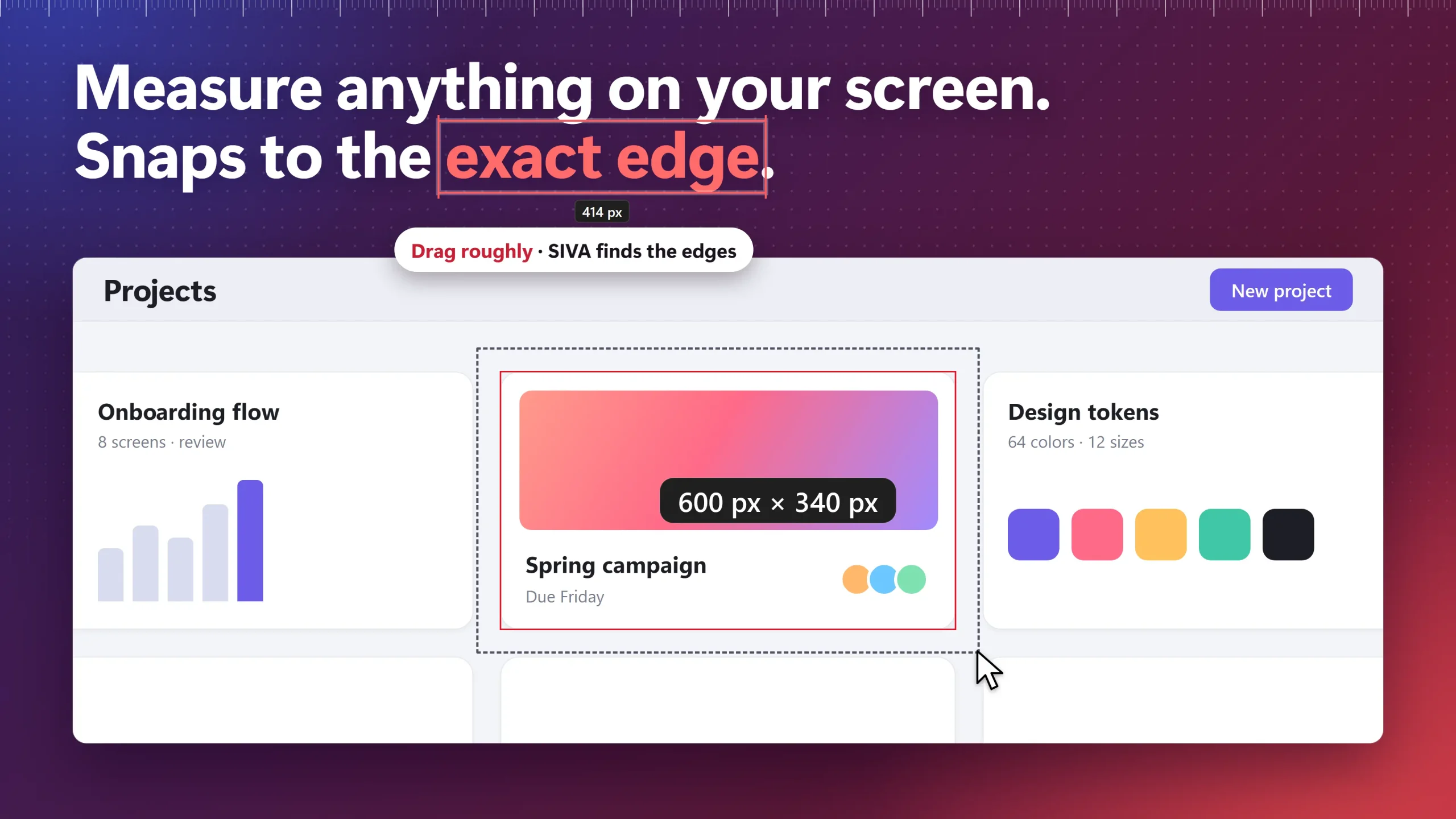
Magnetic Edge Snapping & SmartWrap
Hover anywhere to cast instant multi-directional measurement rays, or drag a rough box over any button—SIVA auto-snaps to its true visual boundaries.
- LogicalSnap detects subtle 1px dividers, card outlines & ghost borders
- Multi-level sensitivity toggle (T) adapts to flat UI or complex gradients
- Zero lag: 60+ FPS hardware raycasting powered by DirectX 11
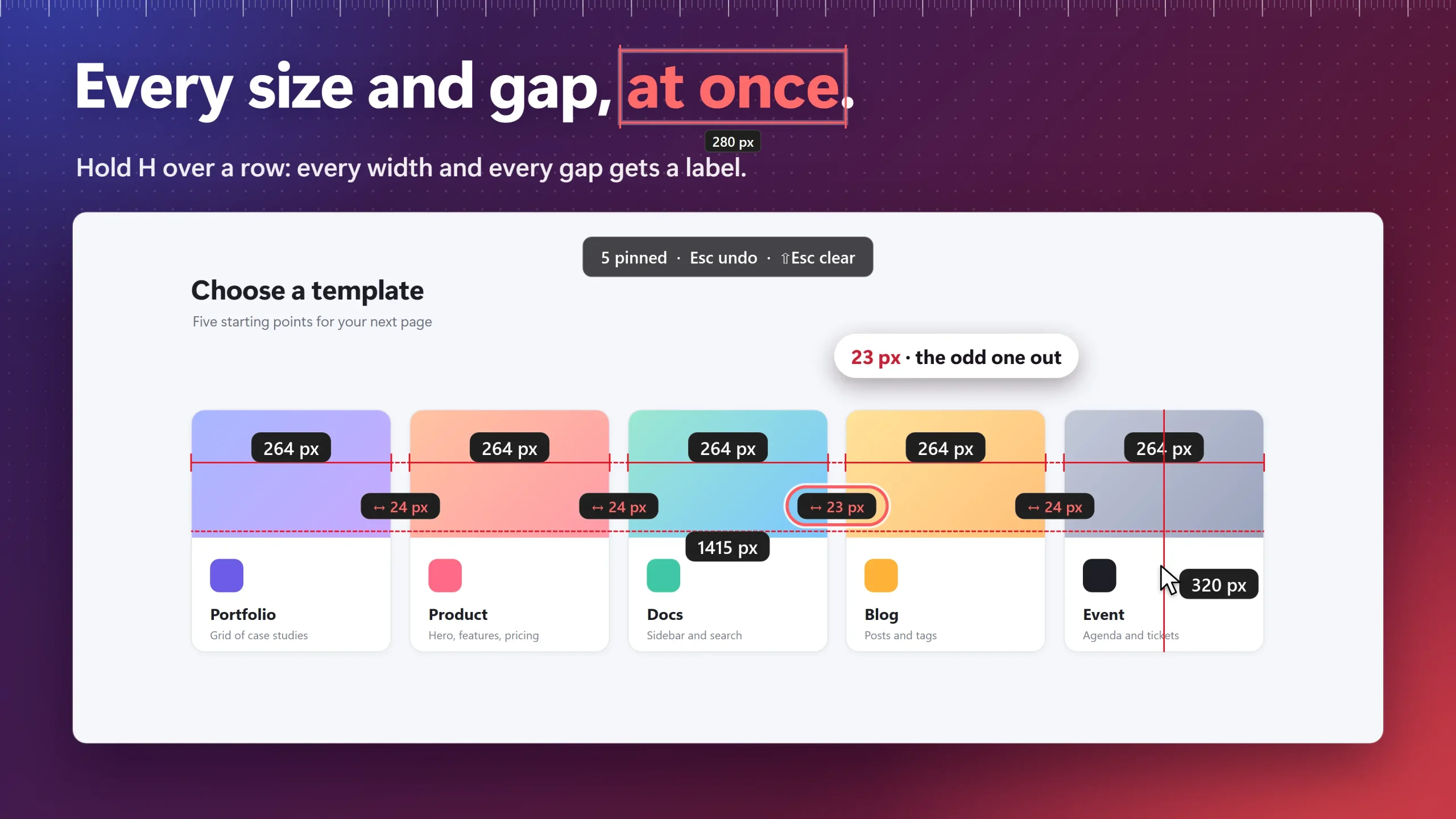
Surrounding Gap Scanner & Alignment Rails
Select any element to project real-time top, bottom, left, and right spacing callouts outward to the nearest adjacent objects.
- Hold H or V to inspect entire rows or columns simultaneously
- Catch accidental 1px or 2px layout rhythm misalignments instantly
- Magnetic alignment guides (Shift + H/V) snap across apps
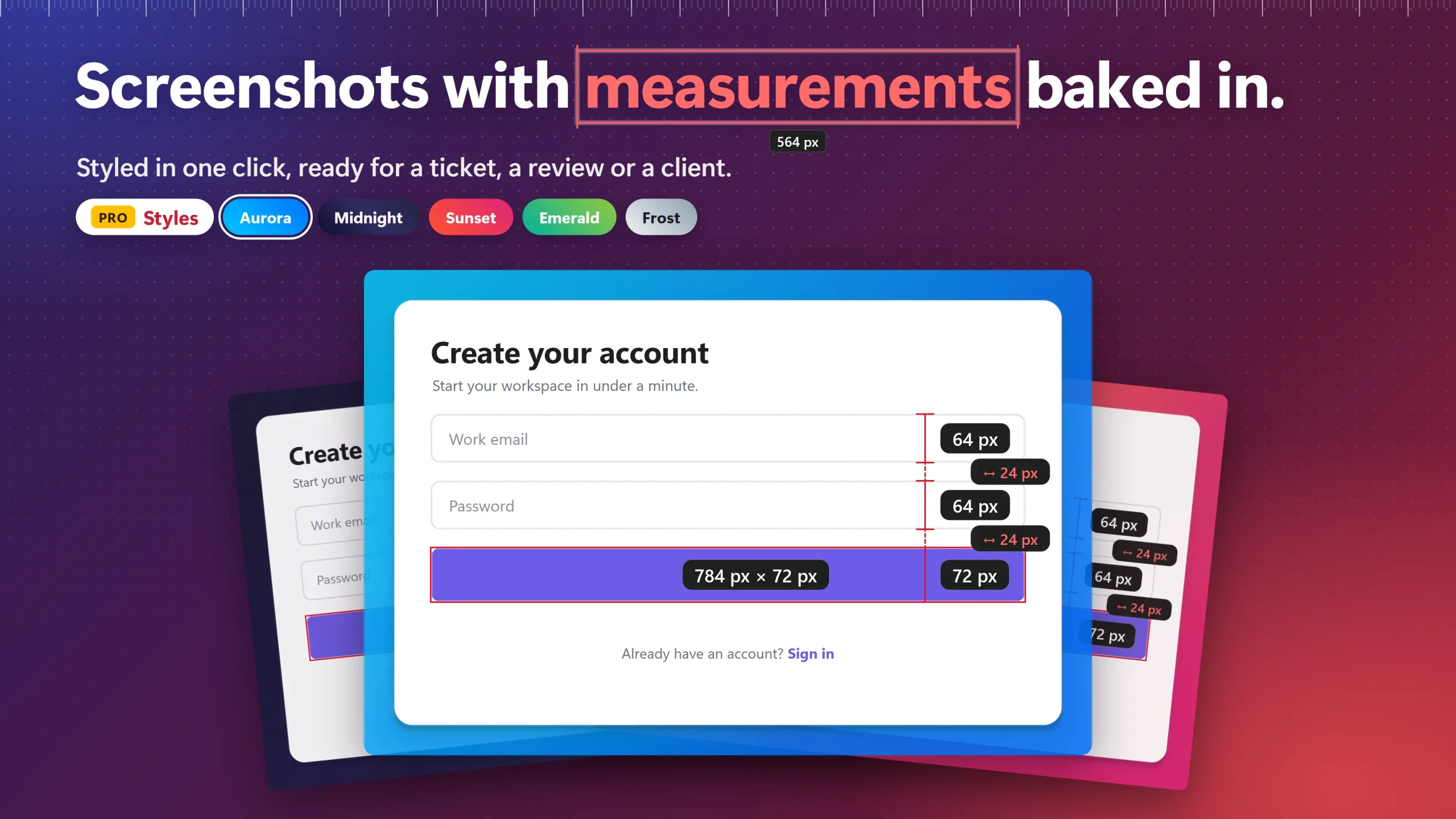
Screenshot Beautifier & Baked Measurements
Transform bug reports and spec reviews into self-explanatory proof. Bake exact vector dimension pills and gap callouts directly into screenshots.
- 5 Curated mesh gradients: Aurora, Midnight, Sunset, Emerald, Frost
- Double-pass ambient contact shadows with top-edge rim lighting
- Automatic corner radius detection matches native OS window rounding
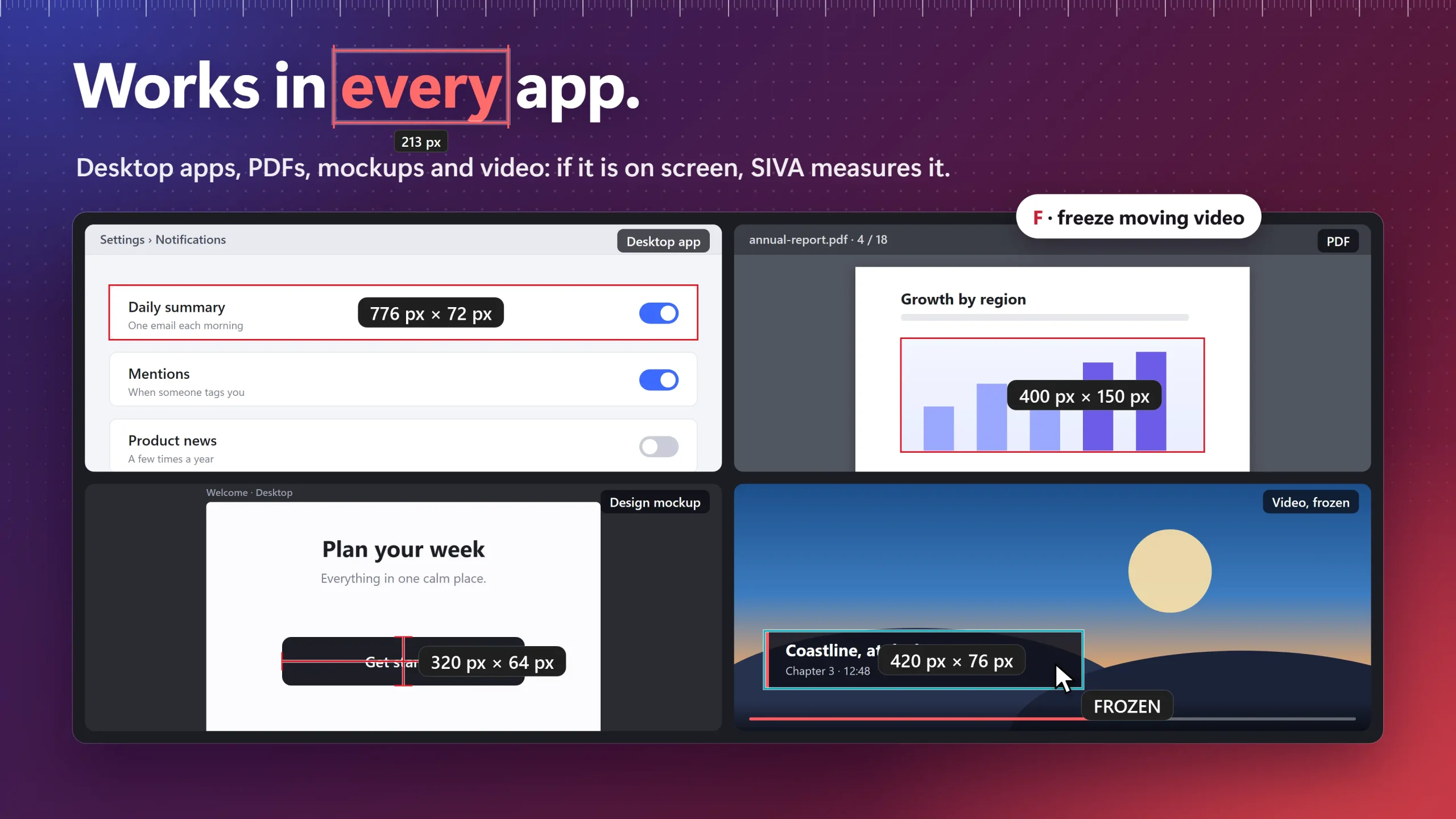
Measures Any Pixel on Windows
SIVA operates at the display hardware layer. Inspect native desktop apps, Figma mockups, PDFs, paused videos, games, and remote desktops.
- Works over WinUI, WPF, Qt, Electron, Flutter & WebGL surfaces
- Per-Monitor V2 DPI awareness prevents sub-pixel boundary drift
- Screen share cloaking (WDA_EXCLUDE) hides overlays in Teams & Zoom
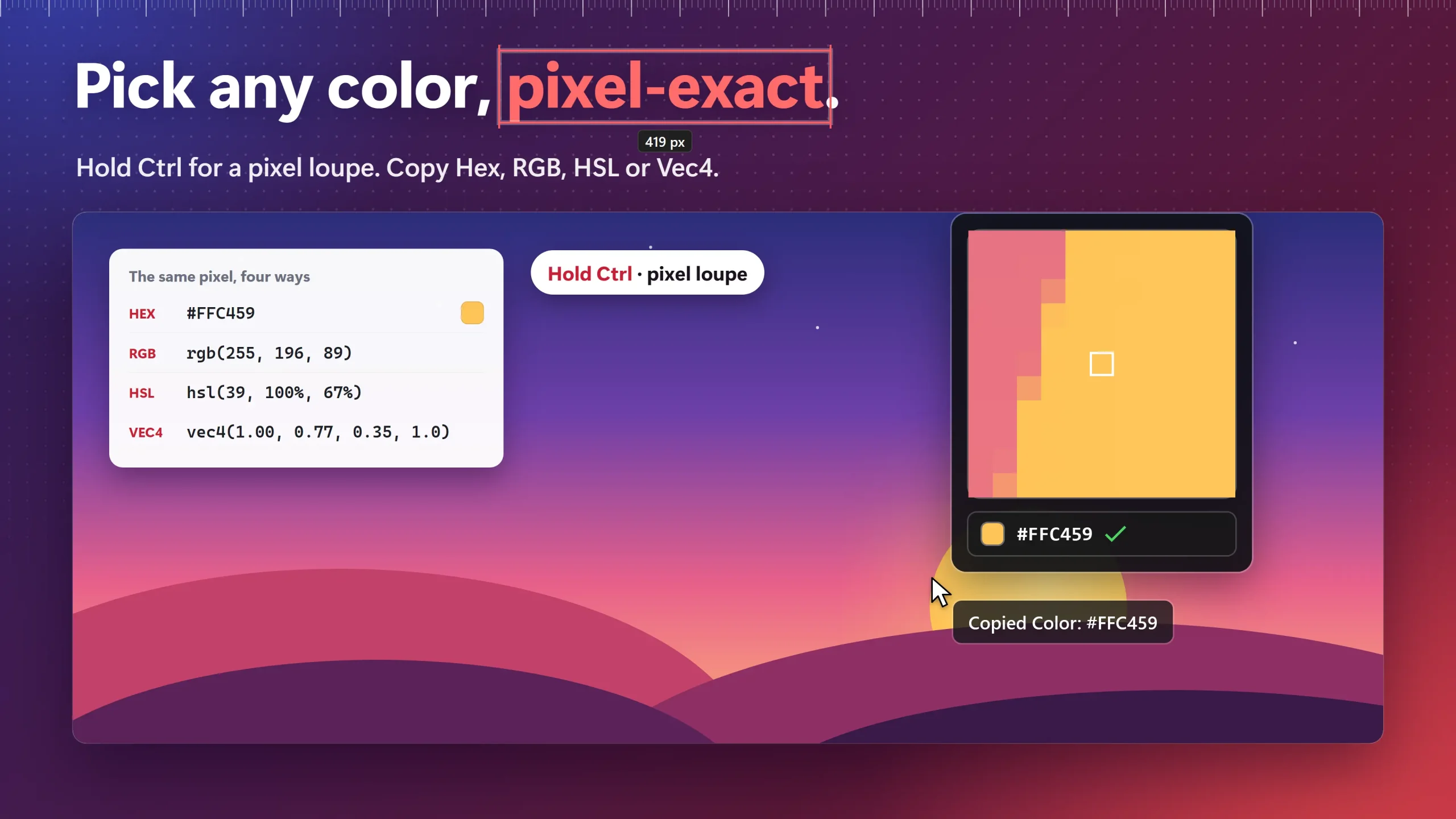
11×11 Magnifier Loupe & Color Formats
Hold Ctrl to invoke a high-magnification pixel loupe. Sample individual pixels and copy exact color definitions directly to your clipboard.
- Instant multi-format export: HEX, RGB, HSL & Vec4 shader format
- Inspect anti-aliasing edges and sub-pixel text rendering
- One-click copy formatted cleanly for CSS and design systems
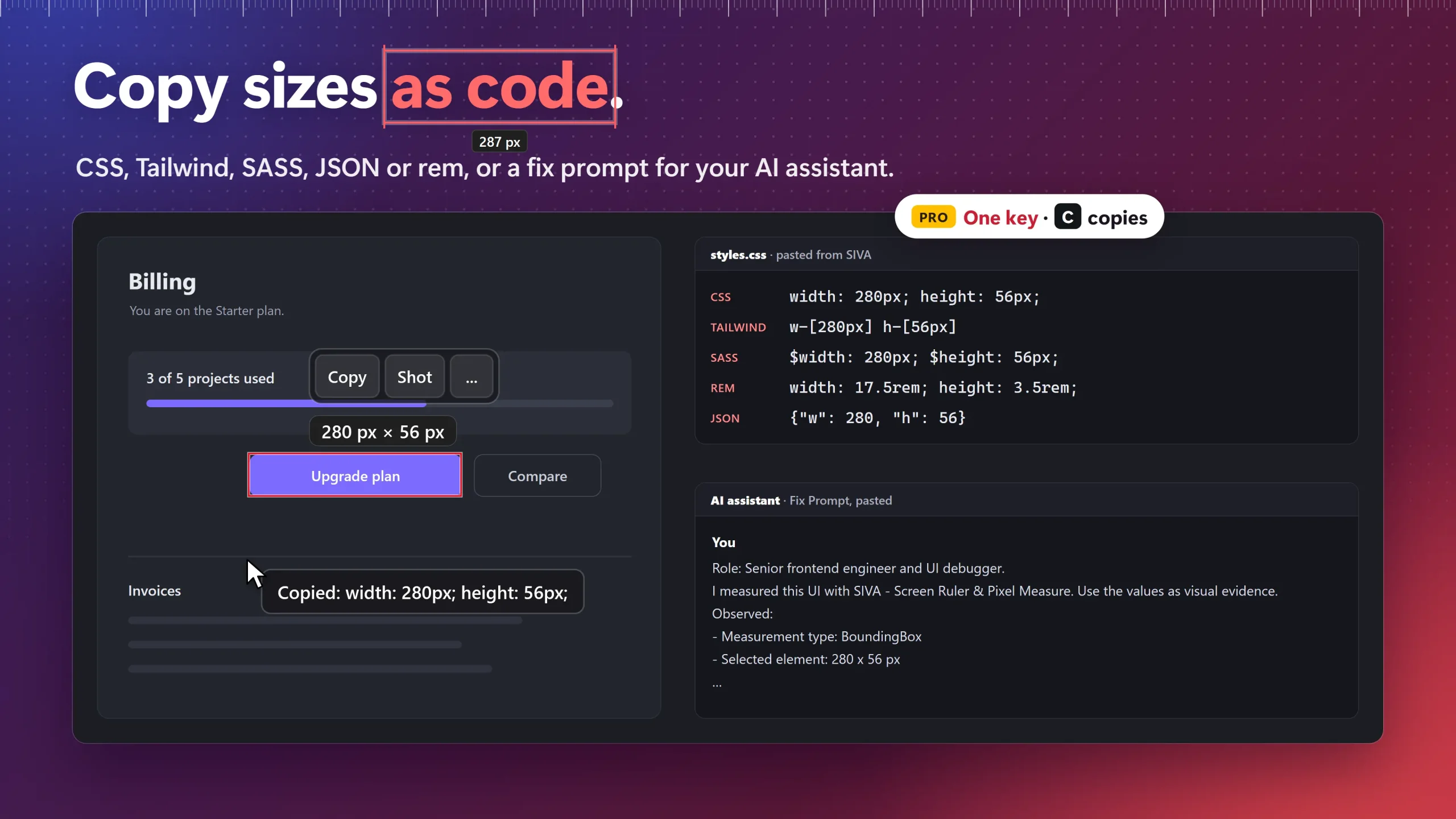
Direct Tailwind, CSS & AI Fix Prompts
Stop typing numbers manually. Copy dimensions directly as production-ready CSS, Tailwind utility classes, SASS variables, or REM units.
- Instant Tailwind syntax: w-[320px] h-[48px]
- Copy AI Fix Prompts: deterministic layout facts for Claude, Cursor & Copilot
- Exports clean SVG vector paths and structured JSON bounding metadata
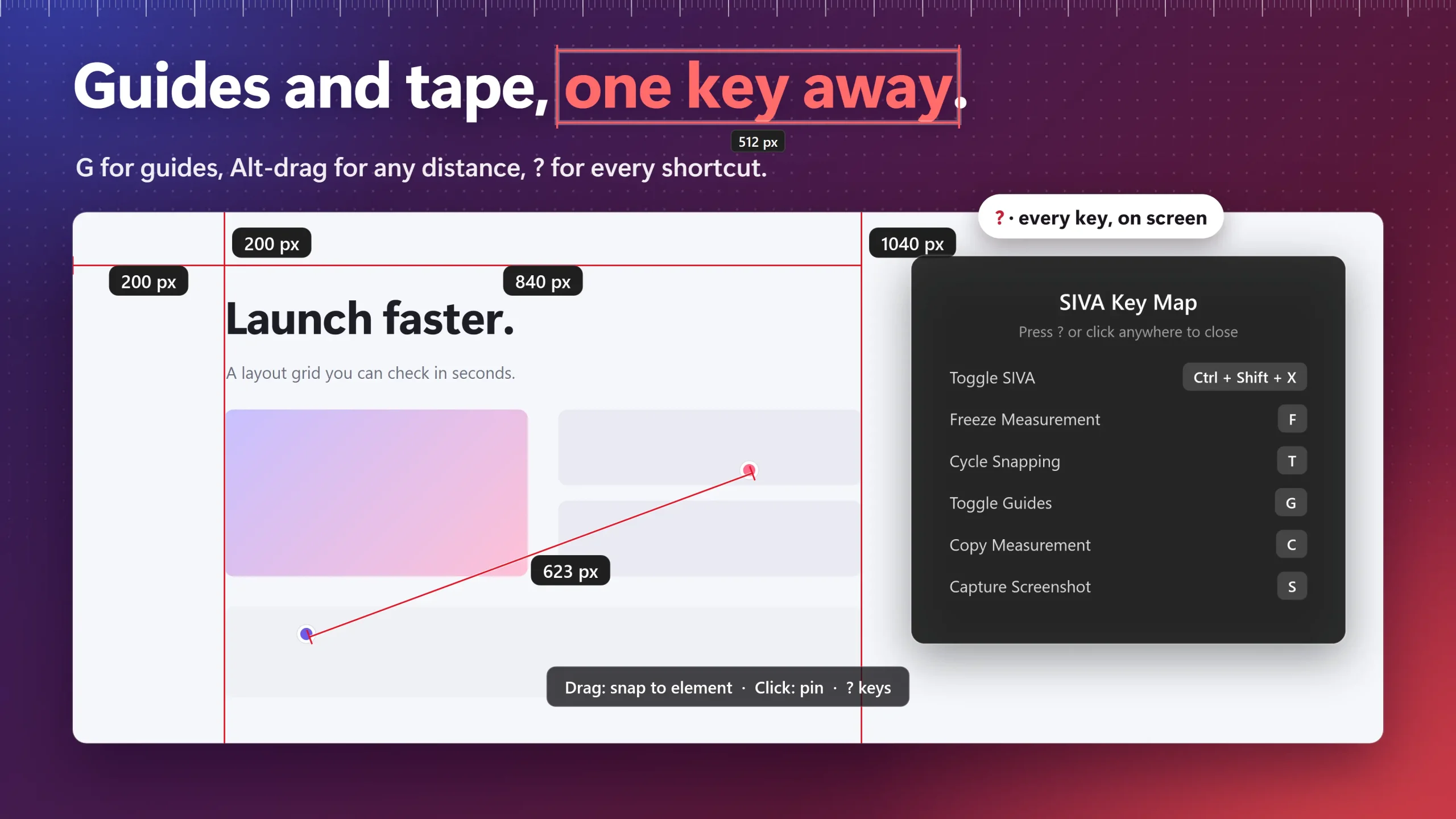
Screen Freeze Mode & Freeform Tape Measure
Hit F to freeze dynamic UI states into a high-fidelity buffer—measure transient dropdown menus, tooltips, hover states, and video frames.
- Hold Alt + Drag for digital tape measure angles & clearances
- Pin measurements persistently while coding or tweaking designs
- 8-Point resize handles and keyboard arrow single-pixel nudging
Tailored for How You Build & Review
From frontend development to design QA, SIVA turns pixel guesswork into deterministic precision.
Match Figma Mockups Pixel-for-Pixel
Inspect live components against design specs. Copy Tailwind utility classes and CSS properties directly into your code editor.
Verify Design System Consistency
Inspect staging builds with continuous horizontal and vertical alignment rails. Spot accidental 1px padding drift across full layout grids.
Undisputed Visual Bug Tickets
Generate presentation-ready bug reports with dimension pills and gap callouts baked directly into screenshots with studio lighting.
Deterministic Prompts for AI Agents
Generate structured visual debugging facts (observed size, gap metrics, target deltas) ready to paste into Cursor, Claude Code, and Copilot.
Aesthetic Documentation Assets
Produce professional screenshots with automatic corner radius detection, curated mesh gradients, and multi-layer 3D contact shadows.
Zero-Friction Staging Reviews
Review desktop apps, web builds, and video prototypes on any monitor. Pin specifications while navigating without opening DOM inspectors.
Why SIVA Outclasses Alternatives
High-performance computer vision built for modern Windows engineering, not virtual wooden sticks.
| Capability | SIVA ✦ | PowerToys Ruler | Legacy Rulers | Browser DevTools |
|---|---|---|---|---|
| Magnetic Edge Snapping | ✓ Multi-Tier Contour | ✕ Basic edge bounds | ✕ Manual dragging | ✓ DOM nodes only |
| Desktop-Wide Scope | ✓ Apps, Video, PDFs & Games | ✓ Full screen | ✓ Full screen | ✕ Browser DOM only |
| Gap & Spacing Rhythm Rails | ✓ Real-Time H/V Rails | ✕ Crosshair only | ✕ None | ✕ Single box model |
| Screen Freeze Mode | ✓ Instant Buffer (F) | ✕ Freeze on trigger | ✕ None | ✕ Emulate state only |
| Direct Code Exporters | ✓ Tailwind, CSS, REM & AI | ✕ None | ✕ None | ✓ CSS panel |
| Baked Visual Proof Shots | ✓ Mesh Gradients & Proof | ✕ Raw capture only | ✕ None | ✕ Element grab only |
| Pricing Model | Free + $9.99 Lifetime | Free (Built-in) | Ad-Supported / Paid | Free (Browser) |
100% Offline & Privacy-First
Built for secure corporate networks, sensitive design mockups, and proprietary codebases.
Free Forever. Pay Once, Own Forever.
Generous core measurement utility with an affordable, permanent Pro upgrade. Strictly zero subscriptions.
SIVA Free
- ✓Smart magnetic edge snapping (Raycast & SmartWrap)
- ✓Surrounding gap scanner & distance calculation
- ✓Screen Freeze mode (F) for tooltips & video
- ✓11×11 Magnifier loupe & color picker (Hex/RGB/HSL)
- ✓Tape measure, angles & magnetic alignment guides
- ✓Includes 14-day zero-friction Pro trial automatically
SIVA Pro
- ✓Everything in Free with zero trial expiration
- ✓Code Exporters: Tailwind CSS, CSS, SASS & REM units
- ✓Visual Proof: Bake dimensions directly into screenshots
- ✓Beautifier: 5 Curated mesh gradients with 3D shadows
- ✓AI Fix Prompts: Deterministic layout facts for LLMs
- ✓Strictly zero subscriptions: Pay once, own forever